
CalcBuilder Tutorial
Example: a freelance hourly rate calculator with an Excel workbook (no PHP)
▶ A video walkthrough of this example (English audio & subtitles). The written steps below cover the same ground.
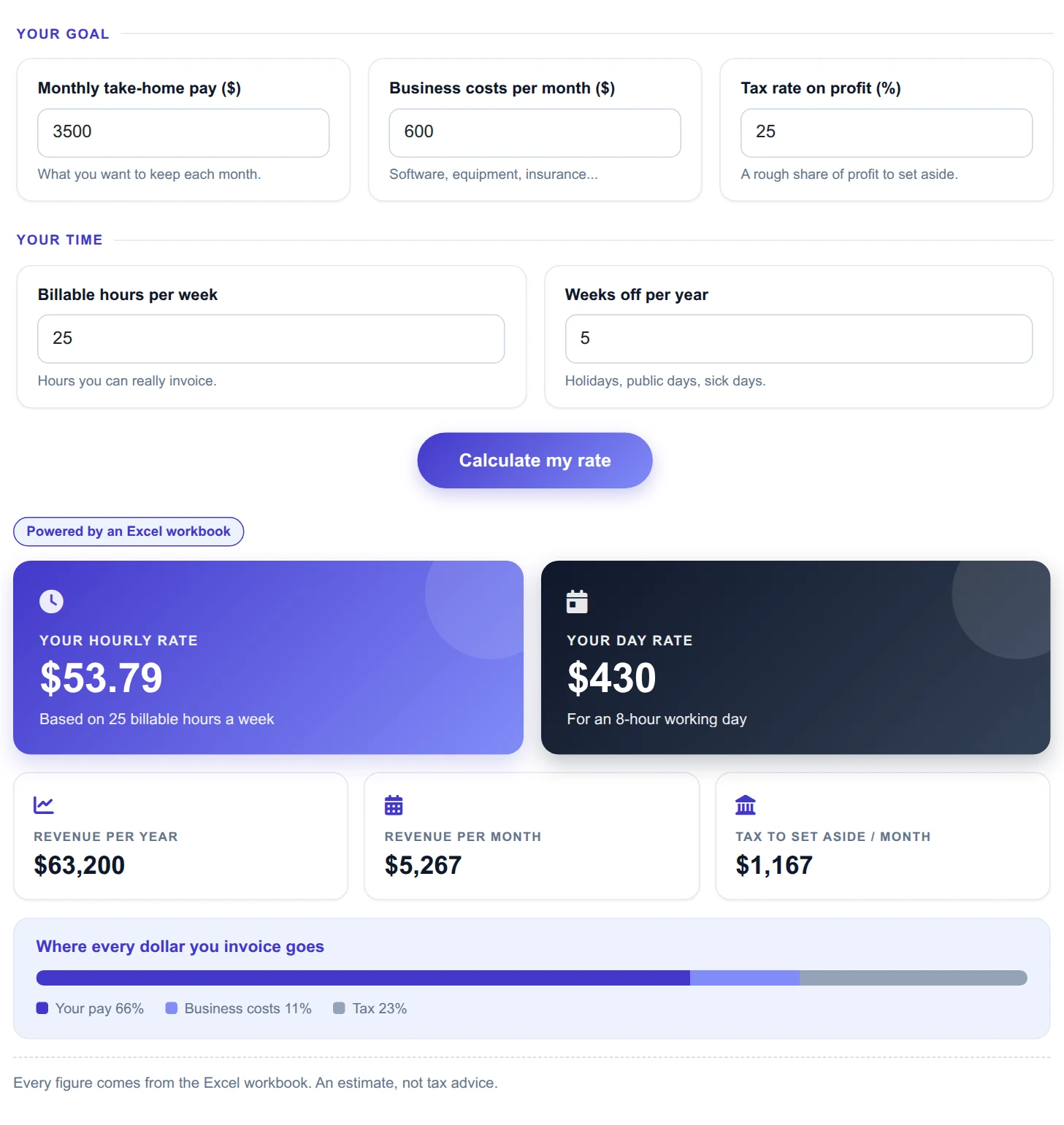
A good-looking freelance hourly rate calculator built with no PHP at all: a visitor enters the monthly pay they want, their costs, a tax rate and their billable hours, and an Excel workbook works out the hourly rate, the day rate and where every invoiced dollar goes. Calc Builder only passes the numbers in and reads the results out.
⇩ Download the sample workbook — freelance_rate_model.xlsx (7 KB)
1. The workbook
One sheet named Rate. The five yellow cells are the inputs; everything else is a formula:
B4monthly take-home pay,B5business costs per month,B6tax rate %,B7billable hours per week,B8weeks off per year.B11revenue needed per year:=B4*12/(1-B6/100)+B5*12B12billable hours per year:=B7*(52-B8)B13hourly rate:=B11/B12,B14day rate:=B13*8B15revenue per month,B16tax per month, andB17:B19the percentage split used by the bar.
Format result cells with the number format you want to display (for example #,##0.00): mapped cells come
back as formatted text, so the page shows exactly what the sheet shows.
2. Create the calculator and the form fields
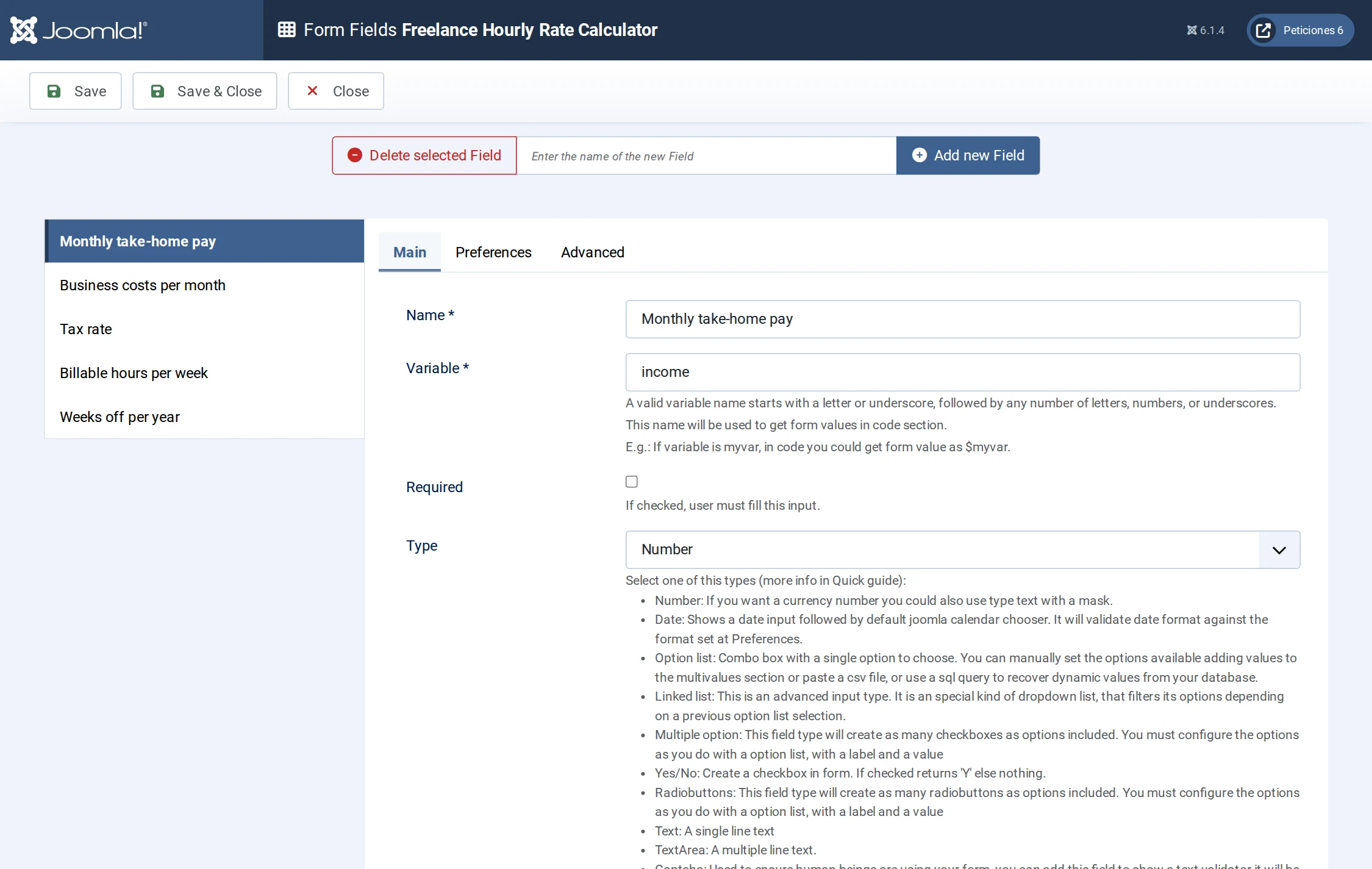
Components → Calc Builder → Add → name it Freelance Hourly Rate Calculator. On Form Fields add five Number fields:
income(default 3500),costs(600),tax(25),hours(25),weeksoff(5).
3. Upload the workbook — Spreadsheet screen
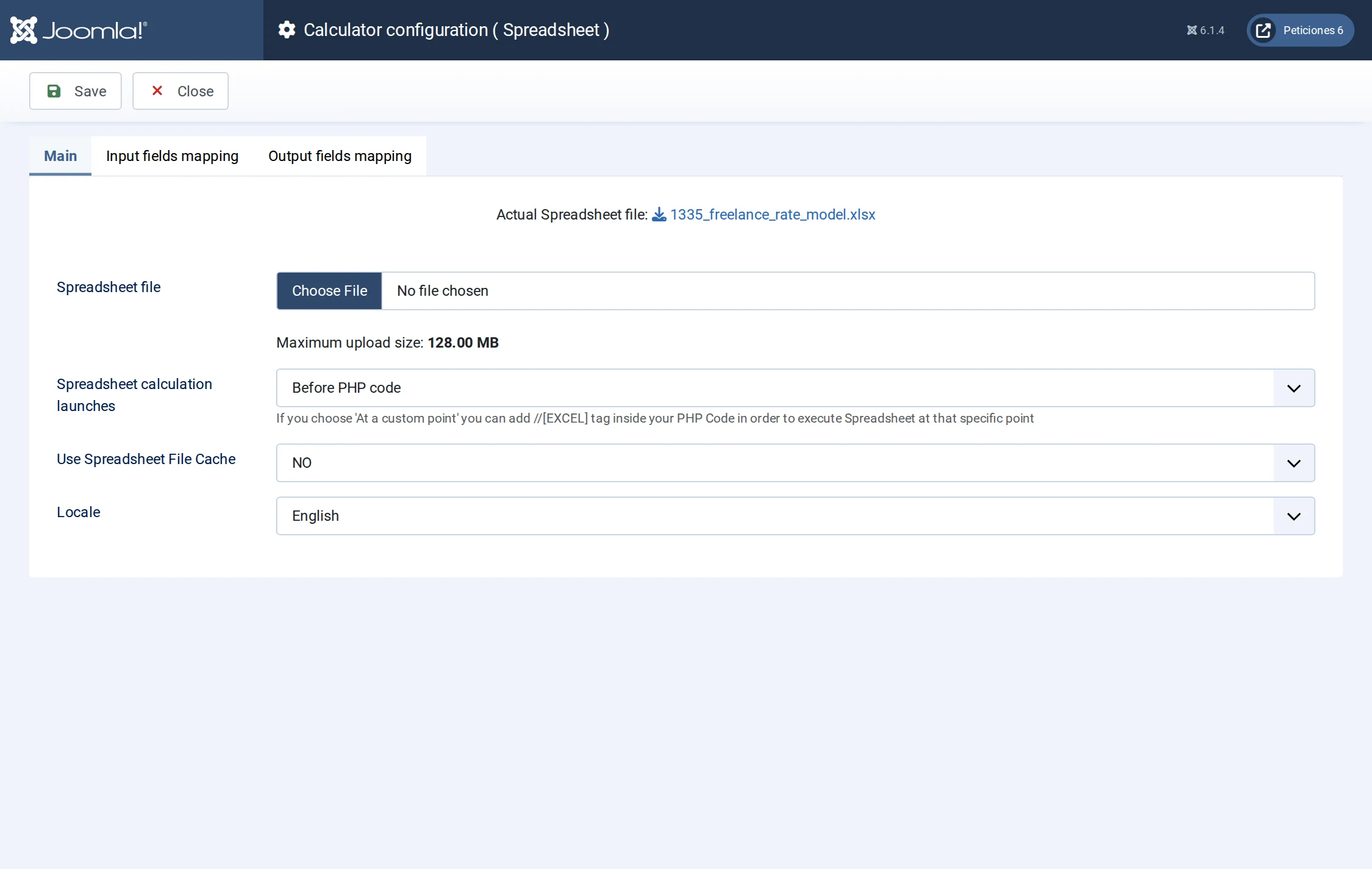
- Open Spreadsheet from the toolbar and Choose File
freelance_rate_model.xlsx. - Spreadsheet calculation launches: Before PHP code.
- Locale English; Save.
4. Map the form fields to the input cells
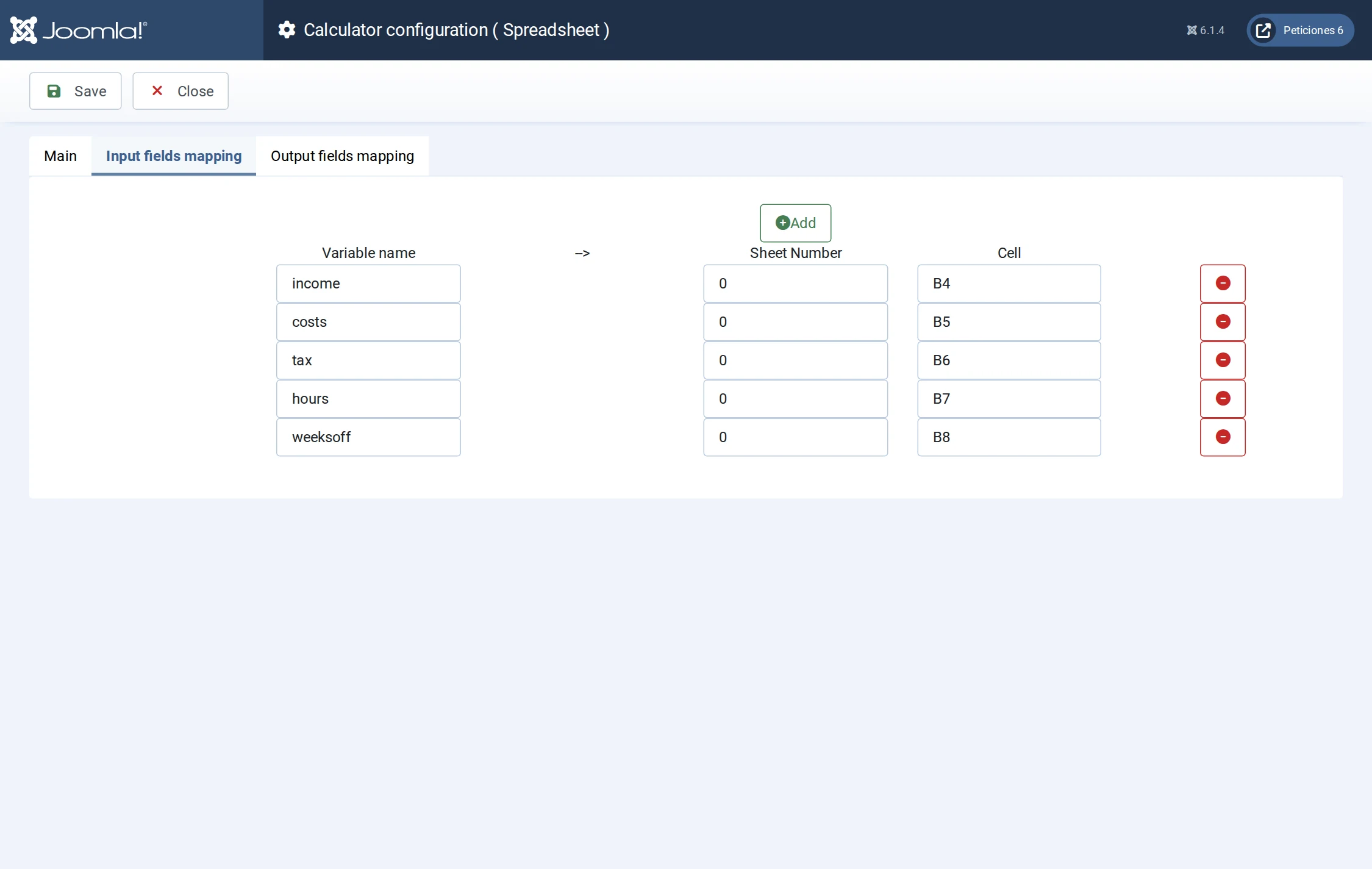
On Input fields mapping click Add once per field, sheet 0:
income → B4, costs → B5, tax → B6,
hours → B7, weeksoff → B8.
5. Map the result cells to variables
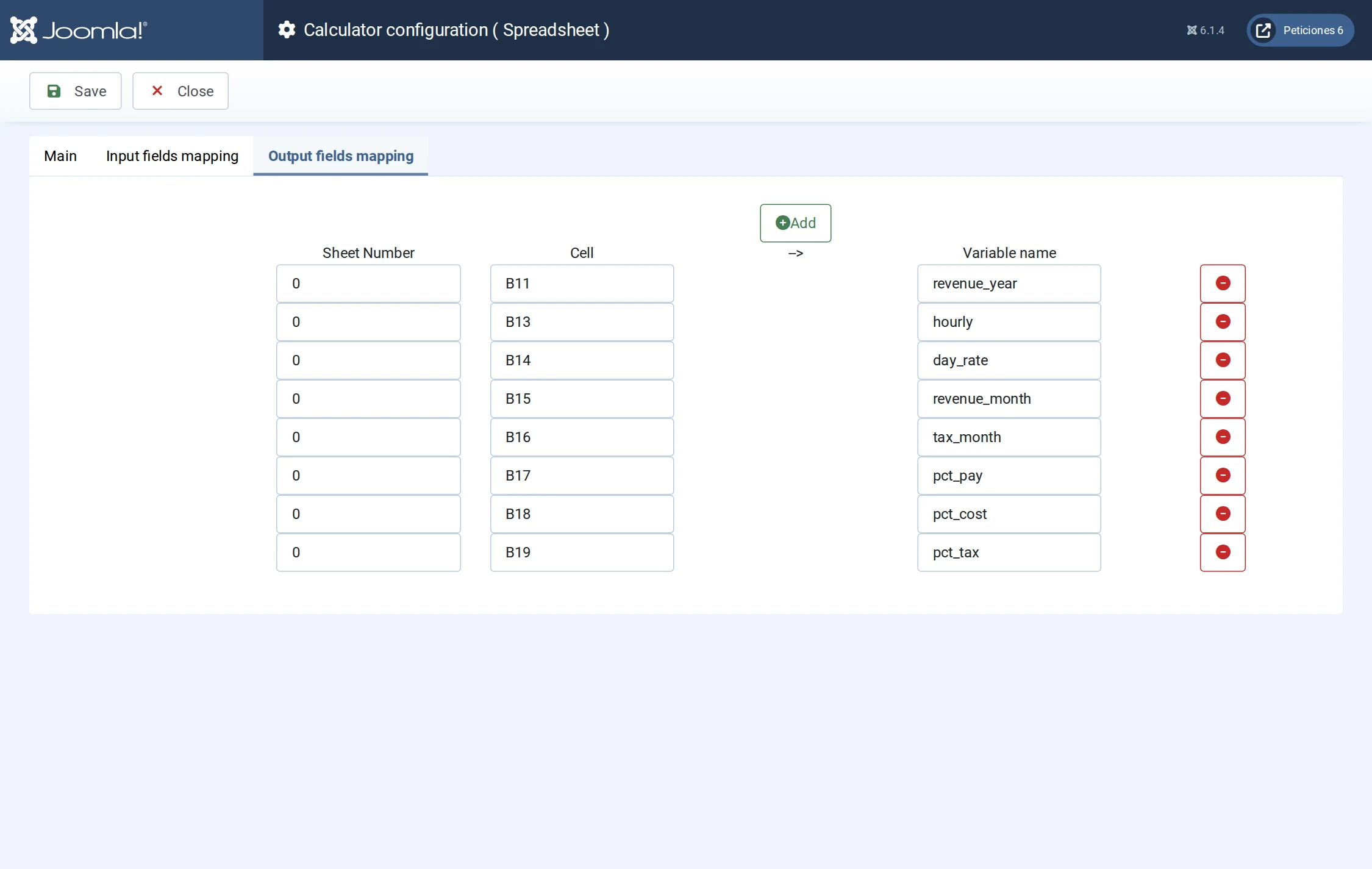
On Output fields mapping: B11 → revenue_year, B13 → hourly,
B14 → day_rate, B15 → revenue_month, B16 → tax_month,
B17 → pct_pay, B18 → pct_cost, B19 → pct_tax. Save.
6. PHP code — leave it empty
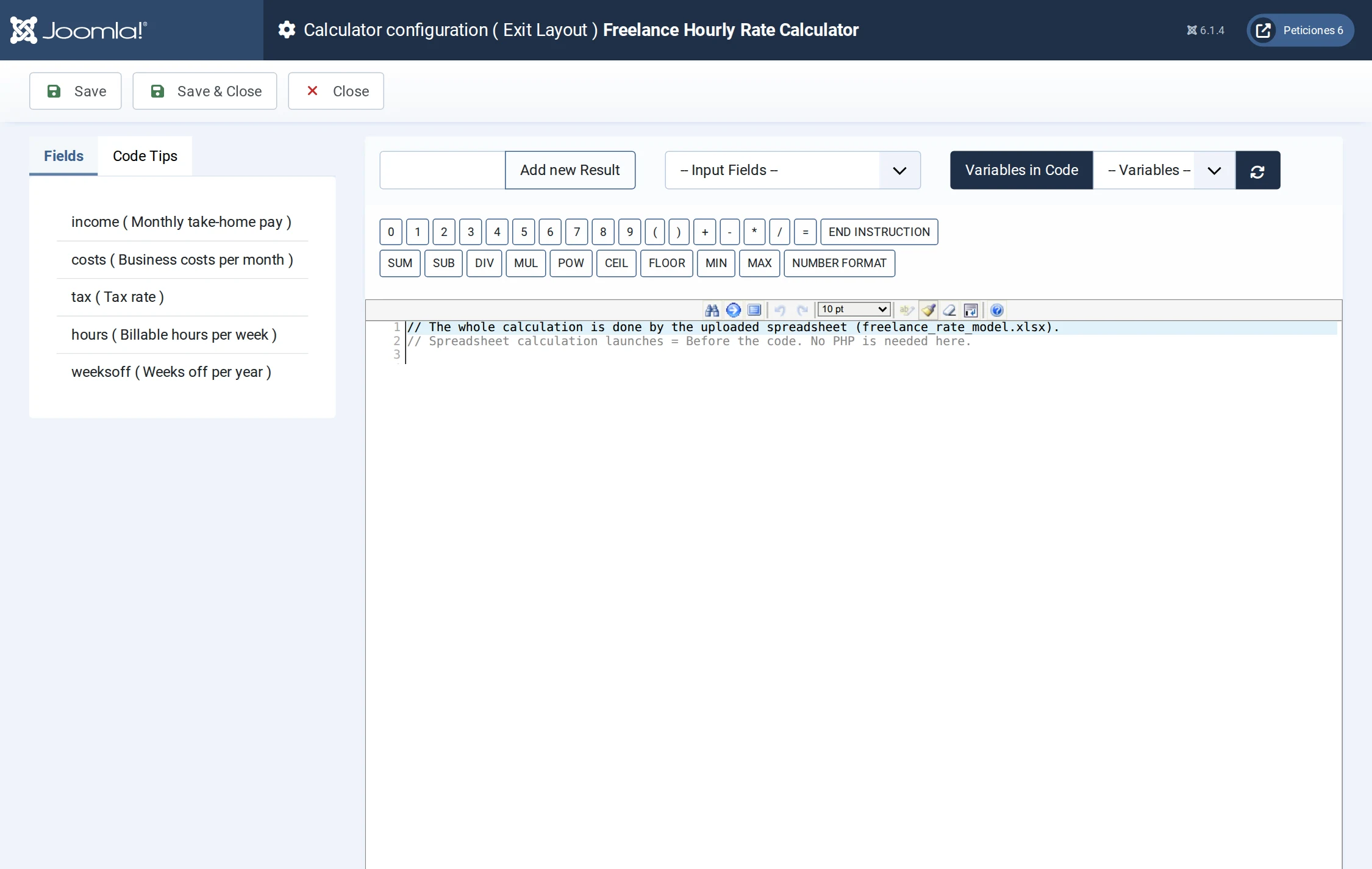
Nothing to write. The workbook already did everything (a one-line comment is a fine reminder).
7. Exit Layout — where the design lives
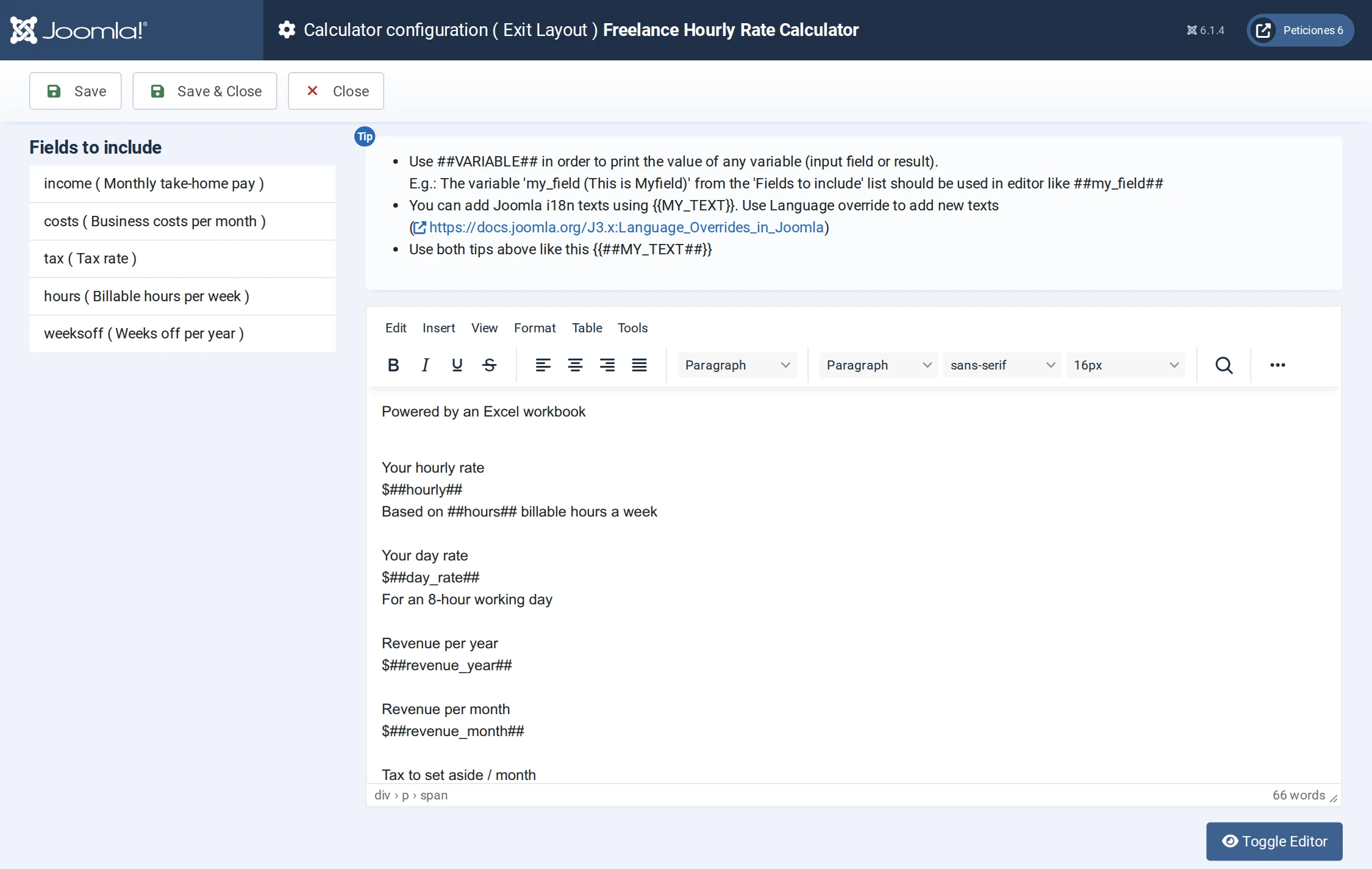
The result is plain HTML with ##placeholders##: ##hourly##, ##day_rate##,
##revenue_year##… and also form values such as ##hours##. Even the bar that shows
where each dollar goes needs no code: <i style="width:##pct_pay##%"></i>. The Form Layout works the same
way with ##income##, ##costs##… for the inputs. On Preferences set the button text and
turn on calculate on load so the page opens with a result already showing.
8. Publish
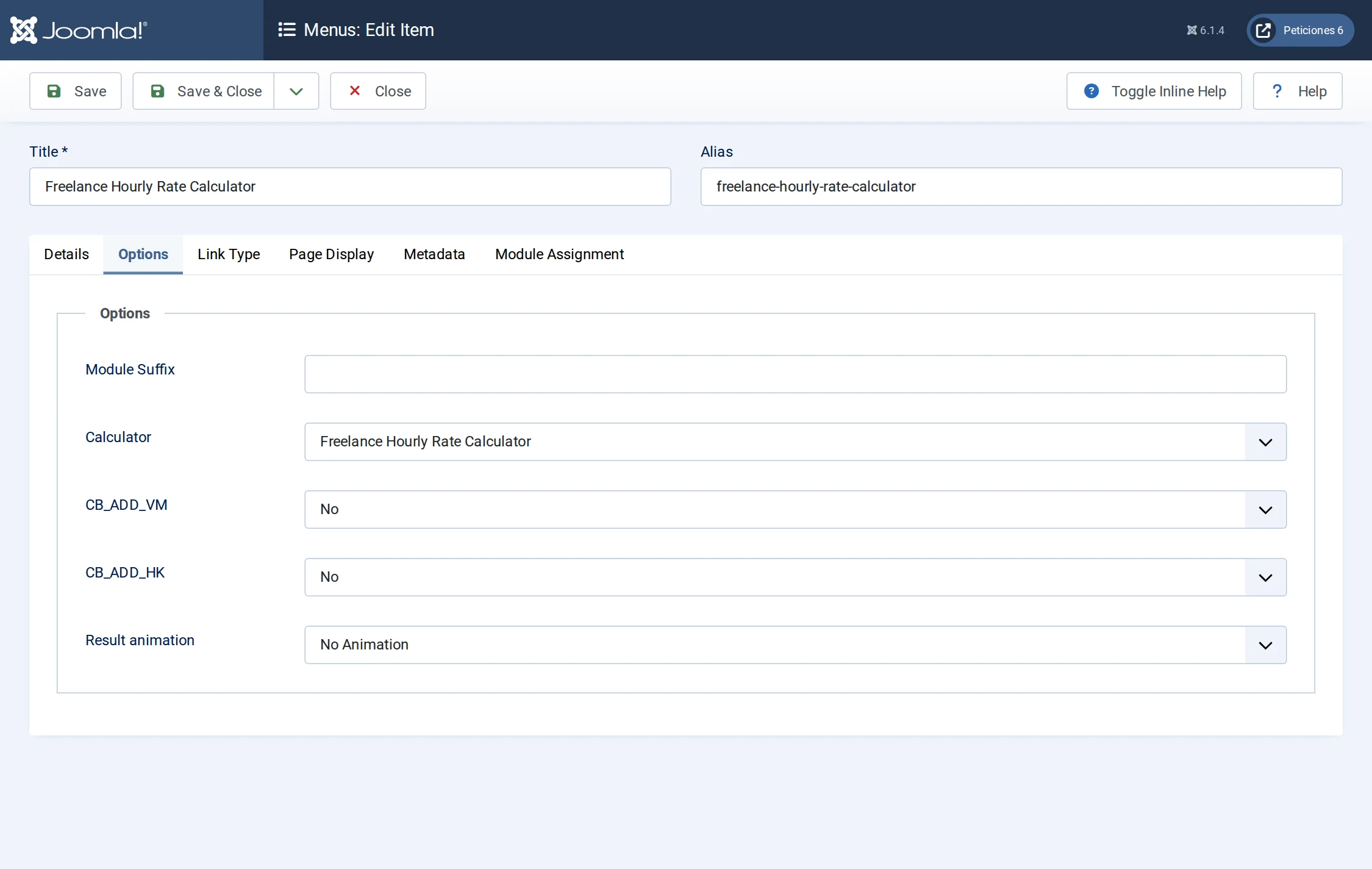
Create a menu item of type Calc Builder → Calc Builder and select the calculator on the Options tab.
Result
Change any value and the workbook recalculates: with the defaults you need $53.79 an hour ($430 a day) to take home $3,500 a month. The model lives in a 7 KB file anyone can open in Excel or LibreOffice, edit and upload again — no developer required.
Same technique, even simpler: the tip calculator (Excel spreadsheet); or a bigger model: a loan calculator with an amortization schedule.