
List Manager Tutorial
Example: a property portal with filters, detail view and export
▶ A two-minute video walkthrough of this example (English audio & subtitles). The written steps below cover the same ground.
A fuller example that combines most of List Manager’s features into a small real-estate portal: a Properties list with typed columns, select filters, a global search, custom formatting, a click-through detail view and filtered exports.
1. The table
With Database Options → New table create lm_properties:
title,city,property_type,operation— VARCHARbedrooms,bathrooms,area_m2— INTprice— DECIMAL(12,2)description— TEXT,image_url— VARCHAR,created_date— DATE
Add a dozen sample rows (Import from CSV is the quickest way).
2. Register and configure fields
Add → Name Properties → table lm_properties.
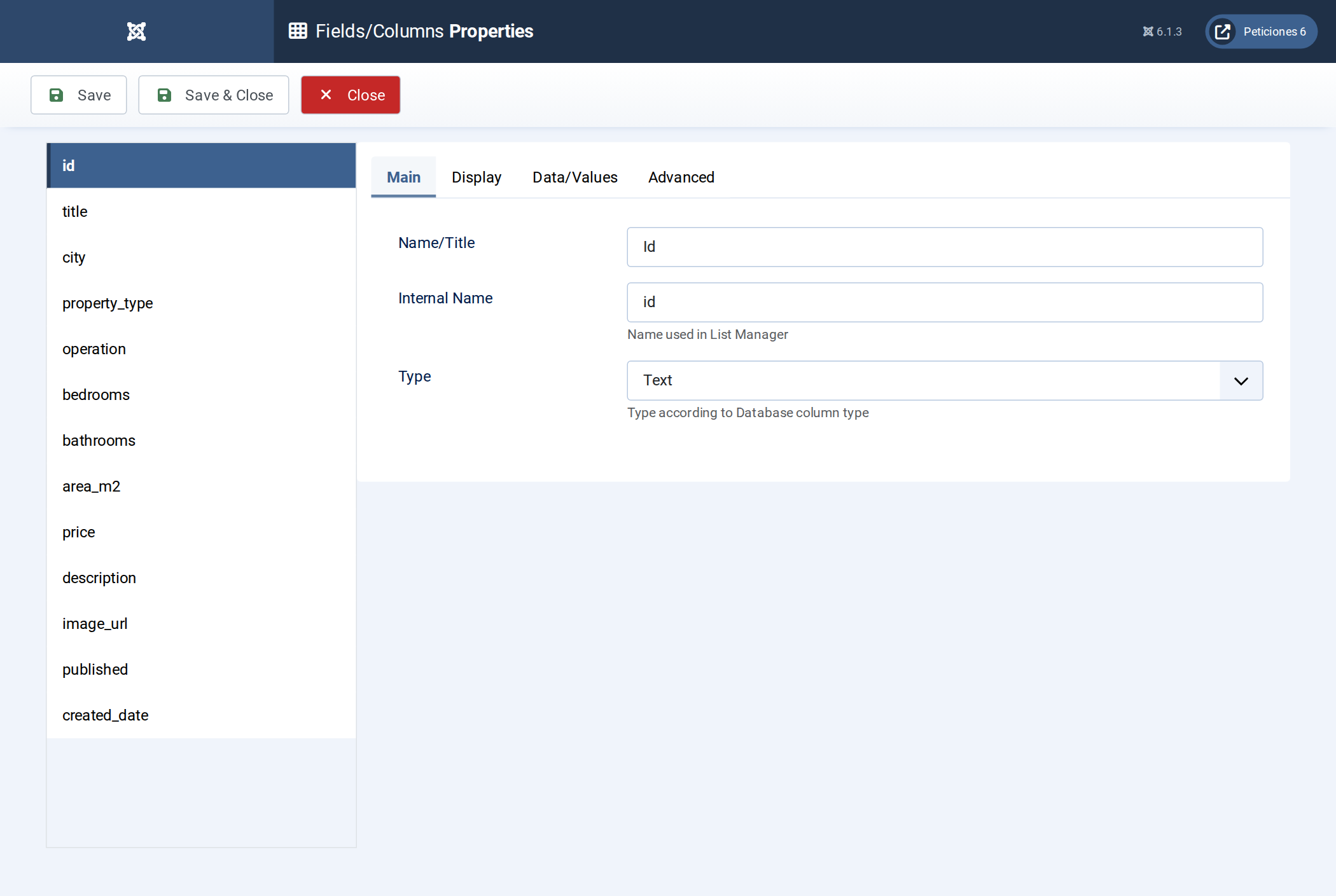
In Fields/Columns:
- Friendly labels: Title, City, Type, Operation, Bedrooms, Bathrooms, Area (m2), Price,
Listed on. Hide
id,image_url,published. - Visible on for title, city, type, operation, bedrooms, bathrooms, area, price, created_date.
price: type Number, suffix€;area_m2suffixm2.created_date: type Date.description: type Textarea.- Advanced tab: Include in search on title/city; add price and area to search as number/range.
3. Display, detail view and card
Display: layout Table (or Card), default order on Price. On Detail Layout turn on On row click + Detail in modal and write the record template with the photo, price, a specs list and the description. Optionally design a Card with the photo, badges for operation/type, and the price.
4. Filters and search
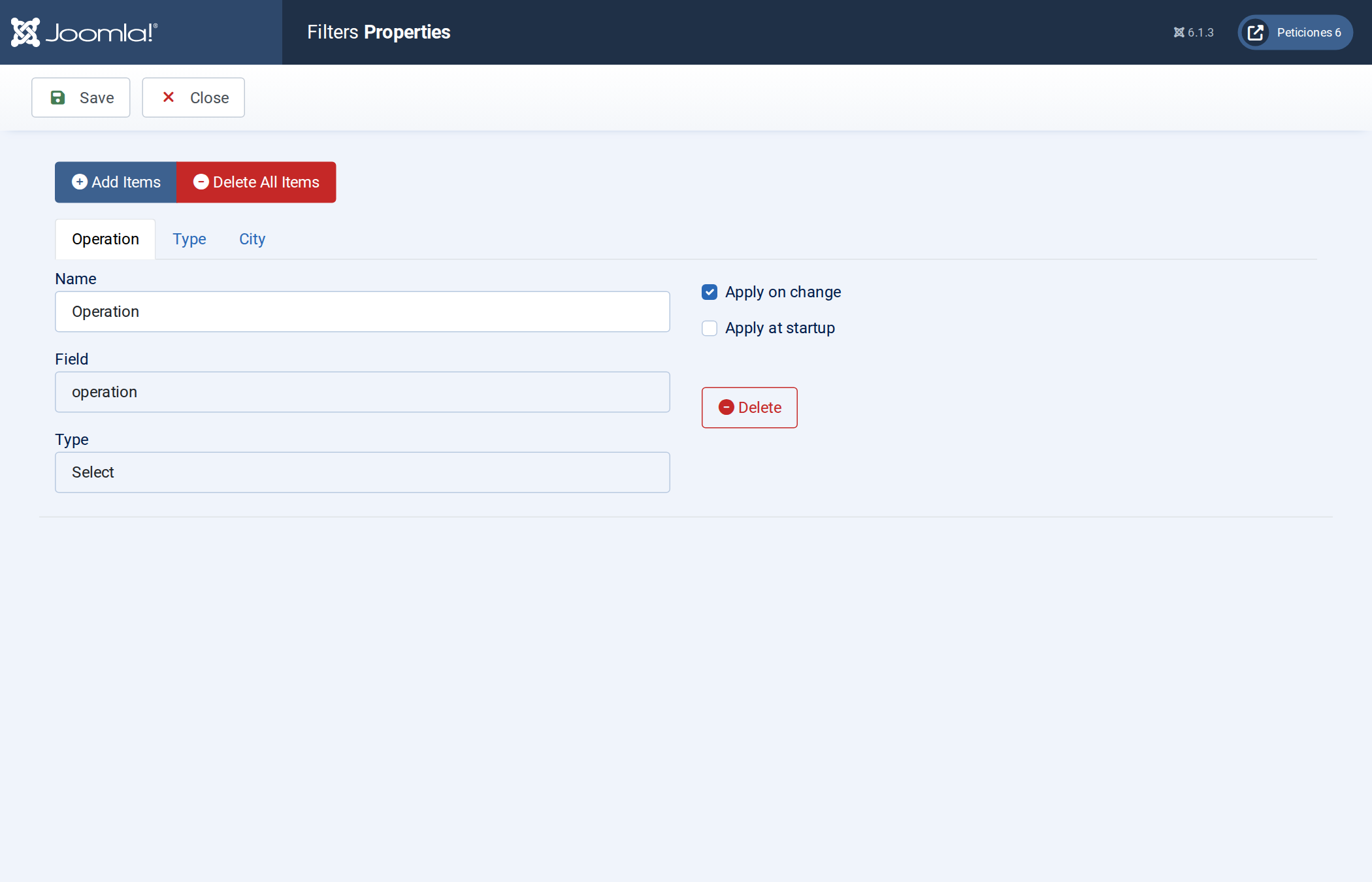
Display → Filters: add City, Type and Operation as Select filters (List Manager fills the drop-downs with the distinct values), and Bedrooms as a select or range filter. Turn on Apply at startup so they are visible immediately, and keep the Clear button.
5. Export
Display → Data Layout / toolbar: add Pdf, Excel and their filtered variants. On the Export screen set the PDF to landscape and add an HTML before heading with your agency name.
6. Publish
Menu item of type List Manager → select Properties. Add a sidebar module if you want a compact version elsewhere.
Result
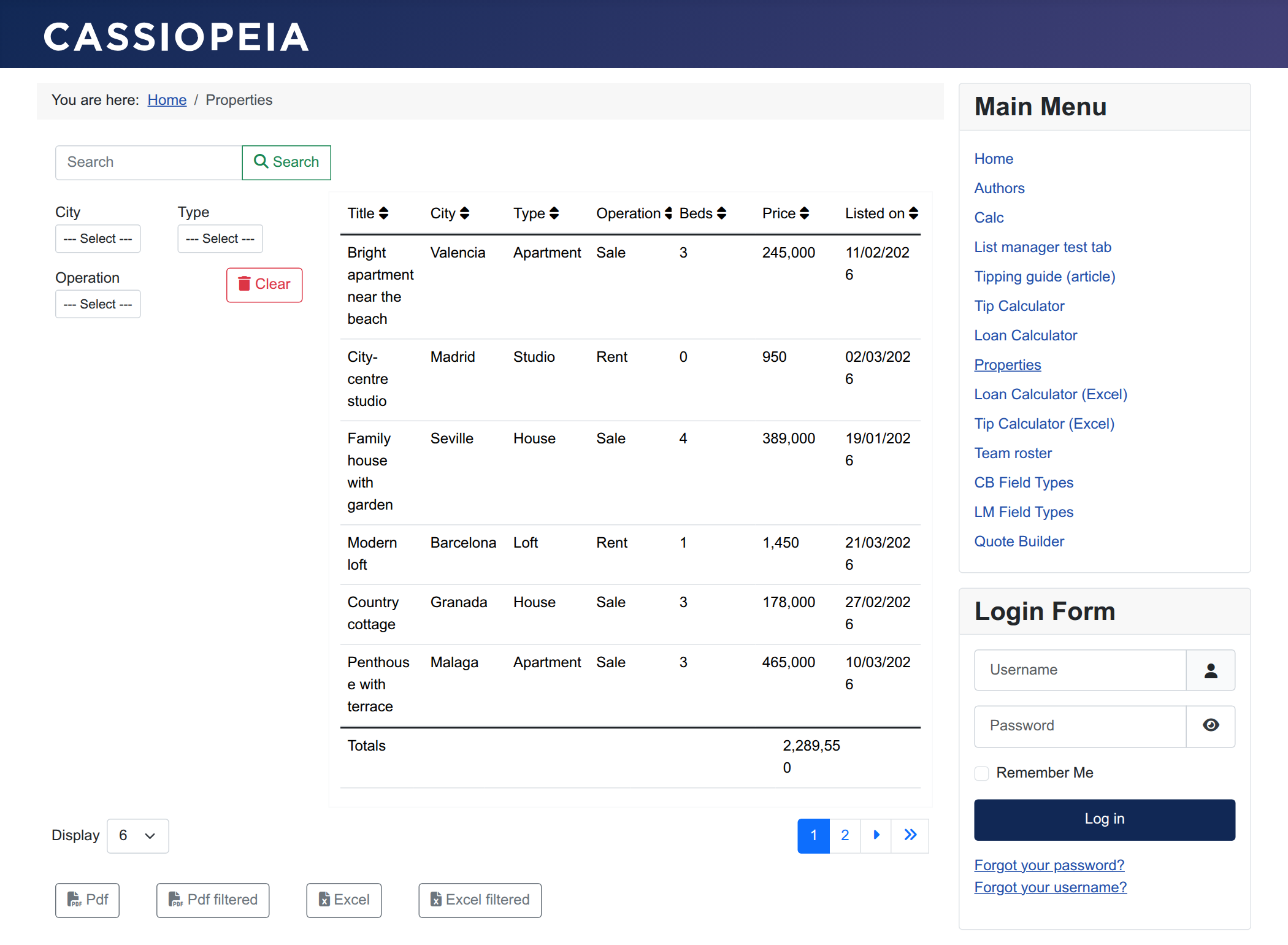
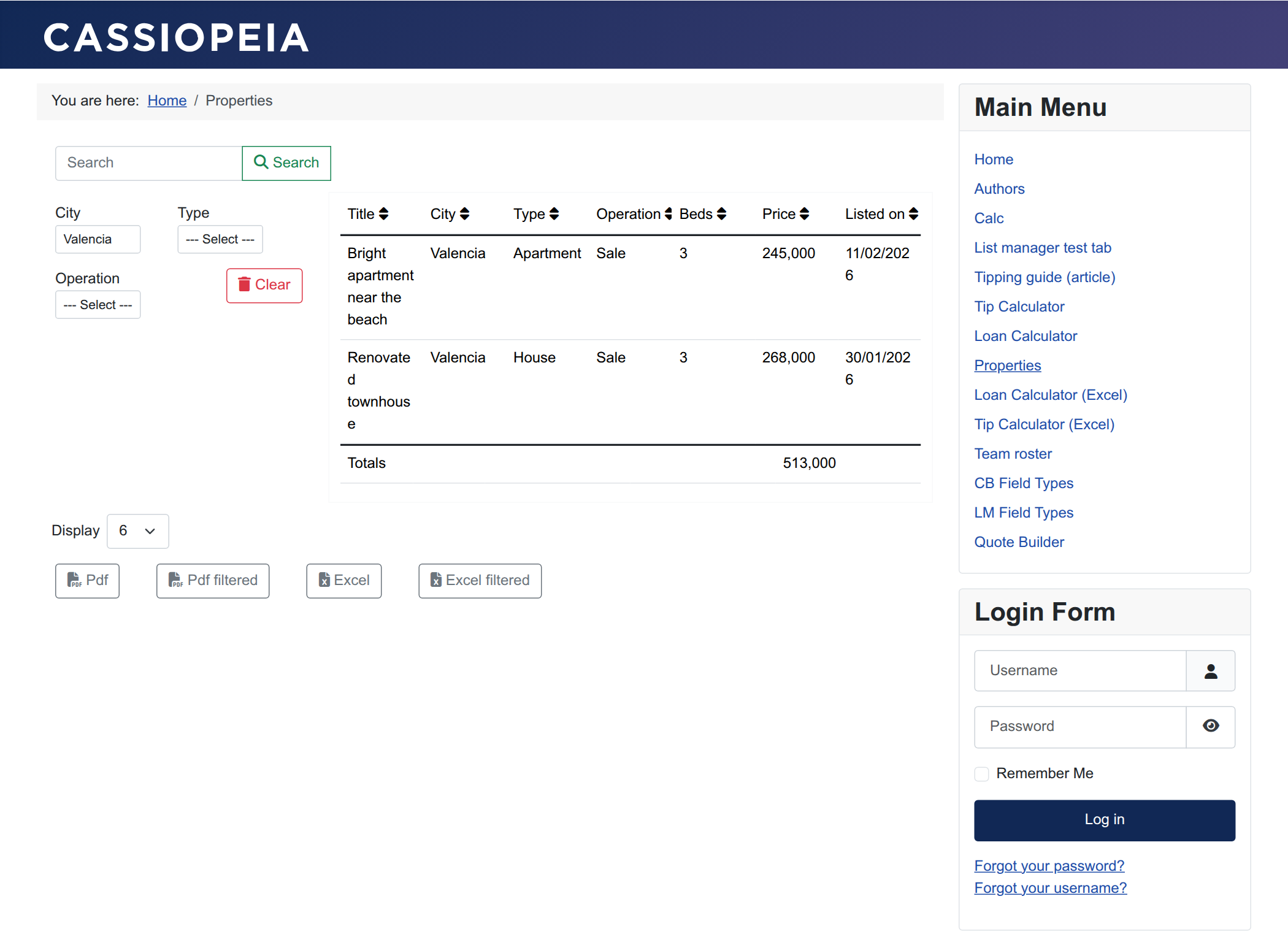
Visitors search by keyword, narrow down with the city/type/operation drop-downs, sort by any column, click a row for the full detail card, and export exactly what they are looking at.